How to Make Bold and Italic Text in WhatsApp, Discord and More
Before you reach for a fancy text generator, check whether the app already has formatting built in. Many chat apps do, and their bold and italic text is better than Unicode styling: it is read correctly by screen readers, it can be searched, and it looks right on every device. Here are the codes for the most popular apps.
| Style | Type this |
|---|---|
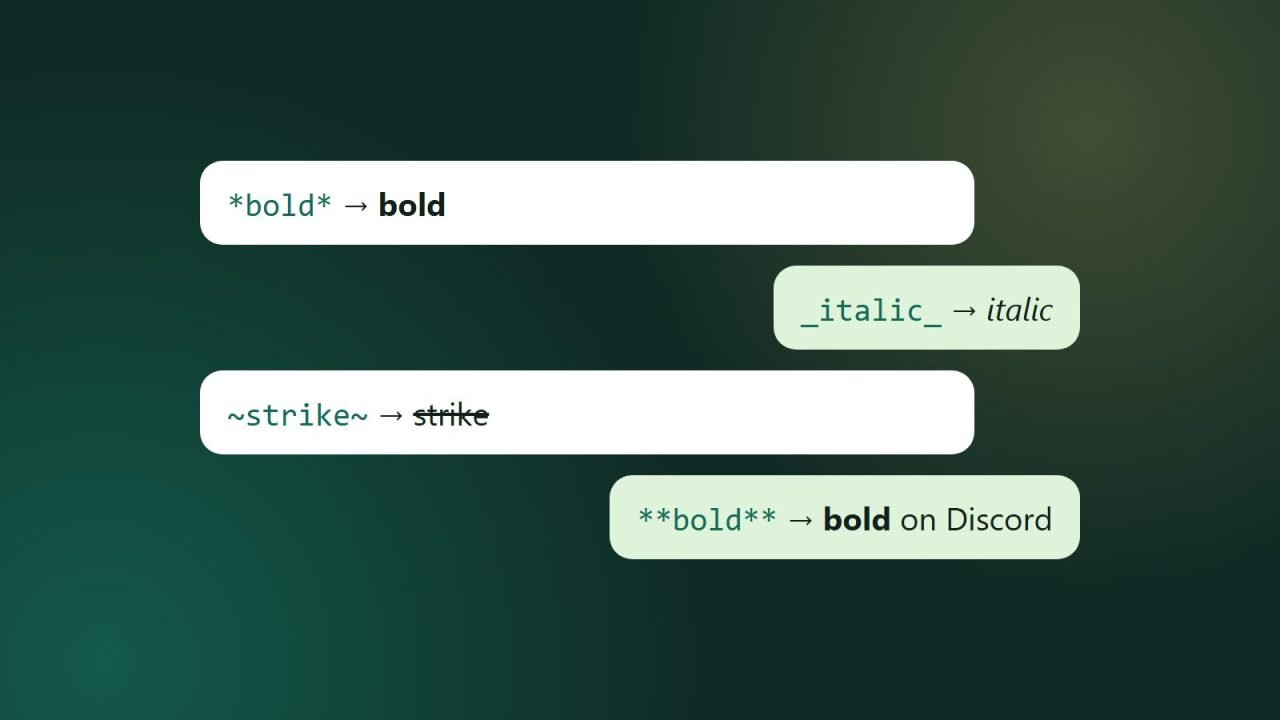
| Bold | *bold* |
| Italic | _italic_ |
| Strikethrough | ~strikethrough~ |
| Monospace | ```monospace``` (three backticks on each side) |
| Inline code | `code` |
| Bulleted list | Start a line with - and a space |
| Numbered list | Start a line with 1. and a space |
| Quote | Start a line with > and a space |
You can also select a word as you type and pick Bold, Italic, Strikethrough or Monospace from the menu that appears (on some phones it is under More or the three dots). The symbols must touch the word: *bold* works, * bold * does not.
Discord
| Style | Type this |
|---|---|
| Bold | **bold** |
| Italic | *italic* or _italic_ |
| Bold italic | ***bold italic*** |
| Underline | __underline__ |
| Strikethrough | ~~strikethrough~~ |
| Spoiler | ||spoiler|| |
| Inline code | `code` |
| Heading | Start a line with #, ## or ### and a space |
| Quote | Start a line with > and a space |
Discord formatting only works in messages. Your display name, server nickname and About Me use plain text, which is where fancy fonts come in. The fancy name generator is made for those.
Slack
Slack has a formatting bar, and also accepts *bold*, _italic_, ~strikethrough~ and `code`. Start a line with > for a quote.
Telegram
Select the text and choose Bold, Italic, Underline, Strikethrough, Monospace or Spoiler from the menu. On desktop, the usual shortcuts work, such as Ctrl+B for bold and Ctrl+I for italic. Telegram also accepts **bold** and __italic__ as you type.
Apps with no formatting
Many places have no formatting at all, or only for some kinds of posts:
- Instagram bios, captions and comments,
- TikTok bios and captions,
- Facebook and LinkedIn posts and comments (long-form articles have formatting, normal posts do not),
- X posts (bold and italic are only offered for some Premium posts),
- YouTube titles and most usernames and display names.
Here, Unicode fancy text is the only way to get bold or italic. Use the bold text generator or the italic text generator, copy, and paste. Keep it to a heading or a key word, because screen readers and search do not handle Unicode styles well. Our guide is fancy text accessible? explains why.
Quick rule
- The app has formatting? Use it.
- No formatting, and it is a short heading, name or word? Unicode bold or italic is fine.
- A long message? Plain text is kindest.